
A fleeting thought? Catch it.
No forms or folders to set up first. Just a symbol and a short line.
Jotbook
- Get a new charging cable
- Dinner with friends on Friday
- Keep keys by the door so they’re easy to find
Tasks, events and thoughts, captured in short lines. Press Enter to keep going. Organize when you’re ready.
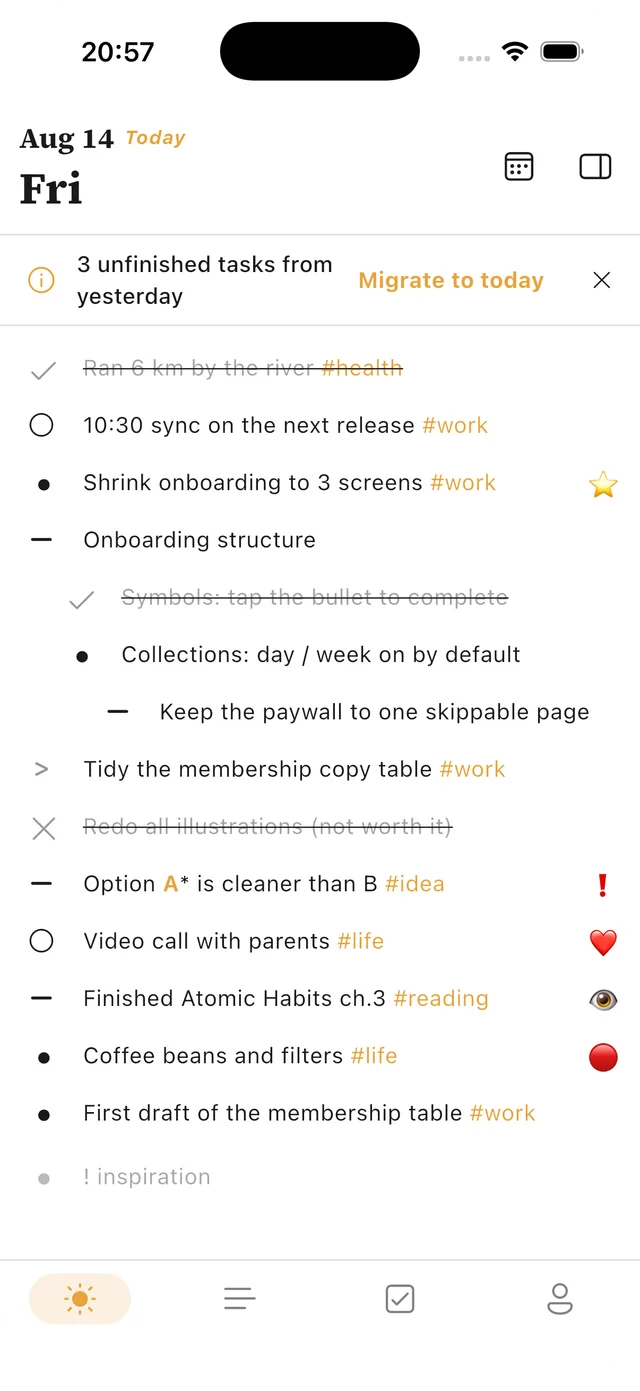
Tasks, events and thoughts as they come,
captured now, organized later.
Write down tasks and thoughts before deciding what to do with them. Migrate tasks, organize collections and track habits in one journal.
Use symbols to tell tasks, events and notes apart. A short line is enough to start. Add tags as you type, without leaving your writing to set up categories.
One entry, then the next.View entries by day, week, month or year. Move unfinished tasks to a suitable date or collection. Keep books, trips and projects together in collections of their own.
Complete, migrate or cancel. You choose.Record counts or time for reading, exercise and other habits. See your entries in daily, weekly, monthly and yearly views to look back at what you did and the time you spent.
Track at your own pace.Tasks, ideas, things you suddenly remember—all on one page. Write them down first. Decide where they belong later.
No forms or folders to set up first. Just a symbol and a short line.
By default, Enter saves and starts the next entry. The keyboard stays open, ready for more.
Come back when you have room. Keep, move or let go of what you wrote.
Example entries. Start with a line, in whatever order your thoughts arrive.
For people with ADHD, and anyone whose thoughts arrive quickly: you don’t have to work it all out at once. Start with the thought in front of you.
Jotbook centers on rapid logging: symbols and short lines for tasks, events and thoughts in one place. Later, migrate unfinished tasks, organize collections or review entries by day, week, month or year.
Manually move them to another date, a future month or a collection, or cancel tasks you no longer need. Reviewing your entries is a chance to decide what to do next.
Jotbook supports iPhone, iPad and Android phones. Get it from the App Store on iOS, or Google Play, supported mainland China app stores or the official APK on Android. See each download listing for system requirements.
Jotbook is free to download. Some features require Jotbook Pro. Purchase options, included features and local prices are shown in the app.
A task, a thought or something that just happened. Open Jotbook and get the first line down.
iPhone · iPad · Android